Online Training

20743B: Upgrading Your Skills to MCSA: Windows Server 2016 Training Online

4.9
( 2137 Learners)

Learn how to configure as well as Install Windows Server 2016 efficiently

multisoft virtual academy
4.8 ★ Rating
1000+ Reviews
10M+
Learners
5K+
Subject Matter Experts
25+ Years
Industry Experience

Upcoming Virtual Sessions

Pick a weekend and begin your learning journey with live instructor-led sessions.

Mode: Virtual

Course Price At

INR 40,000

Enroll Now
Secure Transaction
Live Virtual Classes

Learn from expert instructors in real-time

Interactive Learning

Engage in Q&A and discussions

Flexible & Convenient

Learn from anywhere on any device

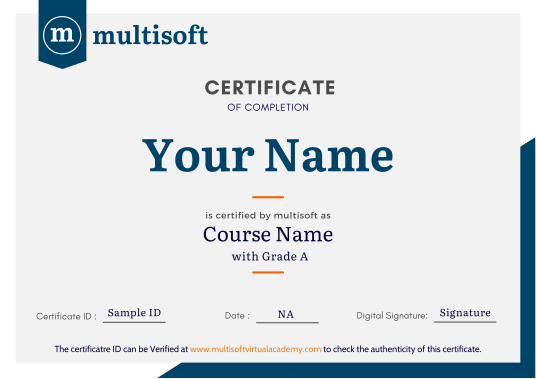
Certificate of Completion

Earn a recognized certificate

Upcoming Batches

16 May 2026 32 06:00 PM - 10:00 AM Sat, Sun
17 May 2026 32 06:00 PM - 10:00 AM Sat, Sun
23 May 2026 32 06:00 PM - 10:00 AM Sat, Sun
24 May 2026 32 06:00 PM - 10:00 AM Sat, Sun

Course Price At

$ 490

Enroll Now
lockimage Secure Transaction lockimage lockimage

Talk to our training advisor

Instructor-led Training Live Online Classes

Instructor-Led Online Training Parameters

Course Highlights

Duration: 24 Hrs

Subject Matter Expert

After Training Support

Lifetime E-Learning Access

Recorded Sessions

Free Online Assessments

Instructor-Led Online Training Parameters

Course Highlights

  • Duration: 32 Hrs.
  • Subject Matter Expert
  • After Training Support
  • Lifetime e-Learning Access
  • Recorded Sessions
  • Free Online Assessments

Upgrading Your Skills to MCSA: Windows Server Course Overview

Upgrading Your Skills to MCSA: Windows Server 2016 training course launched by Microsoft, server aims to enlighten the aspirants on how to configure as well as implement the entirely new functionality and features of the Windows Server 2016. 20743B Upgrading your skills to MCSA windows server 2016 training online is a boon for the IT professionals, who wish to enhance their knowledge and technical intelligence from previous versions of the Windows Server to the latest Windows Server 2016. The MCSA training offered by Multisoft Virtual Academy presumes a good understanding and intelligence of previous version of the Windows Server technologies and equivalent skills to MCSA Windows Server 2012 or 2008 credential.

The course helps understanding how to implement the storage in Windows Server 2016, configuring the Hyper-V, how to implement the failover clustering and a lot more intelligence, which helps pin configuring, implementing and understanding the 20743B: MCSA windows server 2016.

The aspirants can also opt other related online training course

  • Installing and configuring Windows Server 2016
  • Overview of storage in Windows Server 2016
  • Implementing directory services
  • Implementing AD FS
  • Implementing network services
  • Implementing Hyper‐V
  • Configuring advanced networking features
  • Implementing Software Defined Networking
  • Implementing remote access
  • Deploying and managing Windows and Hyper‐V containers
  • Implementing failover clustering
  • Implementing failover clustering with Windows Server 2016 Hyper‐V

Target Audience

  • Existing Windows Server administrators
  • System administrators
  • IT professionals willing to master Windows Server 2016 enterprise environment.

Upgrading Your Skills to MCSA: Windows Server Trainer Profile

Build strong Upgrading Your Skills to MCSA: Windows Server skills under expert trainers with 18+ years of industry experience, focusing on real-time project handling, integrations, and financial system implementations.

18+ Years Experienced

Our Upgrading Your Skills to MCSA: Windows Server trainers bring over 18+ years of hands-on industry experience.

Trained 2829+ Professionals

Our Upgrading Your Skills to MCSA: Windows Server trainers have trained over 2829+ students in real-world cloud courses

Real-time Project Learning

Gain practical knowledge through live projects guided by industry-certified trainers.

Hands-on Learning Approach

Experience practical learning through real-world scenarios, case studies & industry assignments.

Certification Training Guidance

Get expert guidance to prepare, practice, and successfully clear certification exams.

Customized Training Delivery

Training is tailored to course content based on learner requirements and industry needs.

Upgrading Your Skills to MCSA: Windows Server Certification

How to Build a Successful Career in Upgrading Your Skills to MCSA: Windows Server


Build Strong Foundations

Build strong fundamentals through a structured curriculum aligned with real-world project requirements and current industry standards.

Hands-on Project Experience

Develop job-ready skills by working on real-time projects, case studies, and practical assignments using Primavera P6 tools.

Profile Strength

Create a strong professional profile with optimized resume, project showcase, and skills presentation aligned with industry expectations.

Globally Recognized Training Certificate
Industry-Based Knowledge

Gain practical understanding of project workflows, planning strategies, and execution approaches used across real industry environments.

Global Certification

Validate your expertise with a globally recognized certification that enhances credibility and improves your professional career opportunities.

Achieve Career Growth

Unlock better career opportunities by gaining in-demand skills that align with evolving industry trends and global job requirements.

Our Corporate Clients

whatsapp chat
+91 8130666206

Available 24x7 for your queries

For Career Assistance : Indian call   +91 8130666206